
Economy page
Player Shops Manual
Buying
Buy From a Player Shop
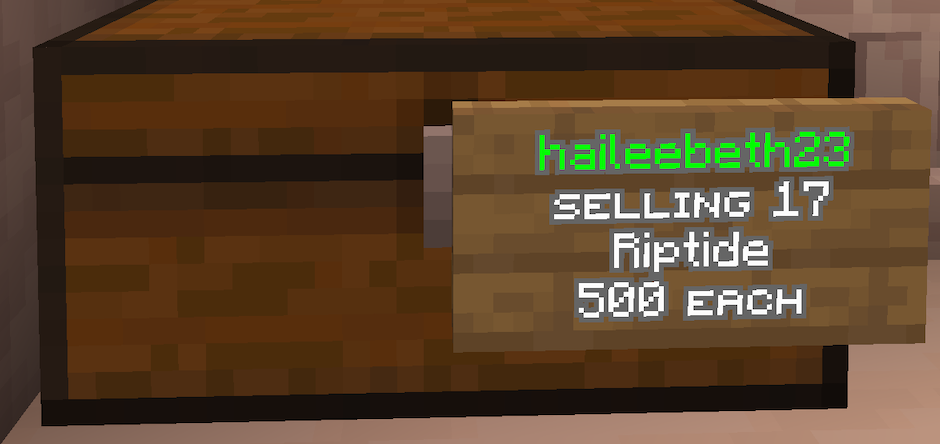
ChestShops are meant to be simple once you know the flow: read the sign, left-click, then answer the chat prompt.
1
Left-click the shop signThe shop opens a chat prompt instead of a normal menu.
2
Type the amount you wantType only a number. Example: 5 buys five items.
3
Check your inventory and balanceIf the purchase works, the items are added and the money is taken automatically.

Finding shops
Browse the Market
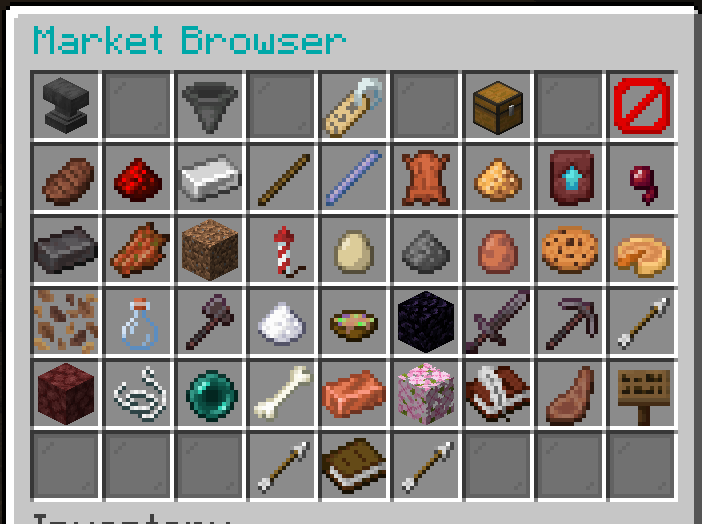
Use the Market Browser when you do not know where a player shop is, want to compare listings, or want to see what other players are selling.
Commands
/cshop browseOpens the Market Browser so you can browse shops that exist on the server.
Shop setup
Create and Edit Your Shop
Place a chest where your shop belongs, look directly at it, then run the setup command.
Before editing: stand close enough to the chest or sign and keep your crosshair on the shop you want to change.
Basic setup
/cshop createCreates a new shop from the chest you are looking at./cshop buyChanges the targeted shop to Buy mode.Use this when your shop should buy items from players./cshop sellChanges the targeted shop to Sell mode.Use this when your shop should sell items to players.Shop details
/cshop priceChanges the buy or sell price of the targeted shop./cshop amountSets the item amount for the shop.Useful if chat is giving you trouble while setting up stock amounts./cshop nameChanges the name of the targeted shop./cshop signChanges the sign material used by the targeted shop.
Limits
Set Purchase Limits
Limits restrict how often each player can use a shop. You can make a permanent limit or a timed limit.
Limit periods: timed limits can use day, hour, minute, month, week, or year.
Commands
/cshop limit set 10Allows each player to use the targeted shop 10 times total./cshop limit set day 10Allows each player to use the targeted shop 10 times per day./cshop limit resetResets the limit tracking for the targeted shop./cshop limit unsetRemoves the purchase limit from the targeted shop.
Management
Staff, Ownership, and Removal
Use these commands when someone else needs access, ownership changes, or the shop needs to be removed.
Commands
/cshop staffManages staff for your shop./cshop setownerChanges ownership of the targeted shop./cshop removeRemoves the shop you are looking at.