
Economy page
Server Shop Manual
Buying and selling
Open the Server Shop
The Server Shop menu contains many common blocks and items. Use it when you want to check categories, prices, or buy/sell directly through the menu.
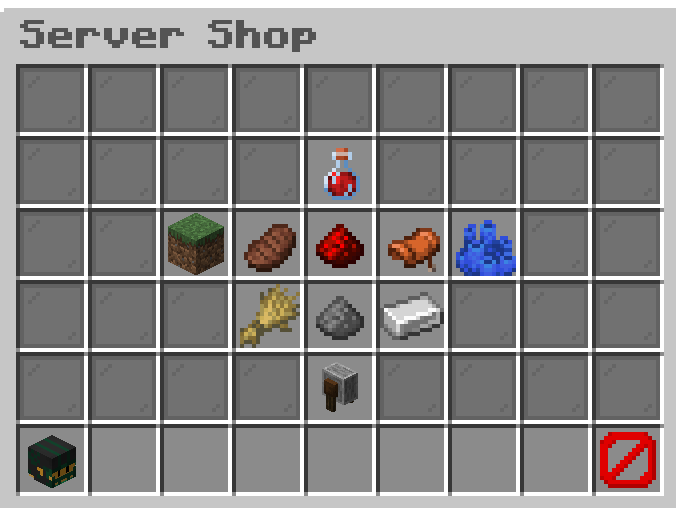
Prices shown in the Server Shop are the prices used by the sell commands.
Commands
/shopOpens the Server Shop menu.
Fast sell
Sell the Item in Your Hand
Use this when you only want to sell the item stack you are currently holding.
Check what you are holding before running the command. It sells the held stack immediately.
Commands
/sell handSells all items in your hand to the Server Shop for the listed price.
Bulk sell
Sell One Item Type or Your Inventory
Use /sellall when you want to sell every matching item in your inventory, or sell everything the Server Shop accepts.
Be careful with /sellall all. It is meant for fast cleanup, but it can sell more than you intended if accepted items are in your inventory.
Commands
/sellall (item)Sells every item of that specific type from your inventory.Example: /sellall dirt sells all dirt in your inventory if dirt is accepted by the Server Shop./sellall allSells every accepted item from your inventory.
Careful selling
Use the SellGUI
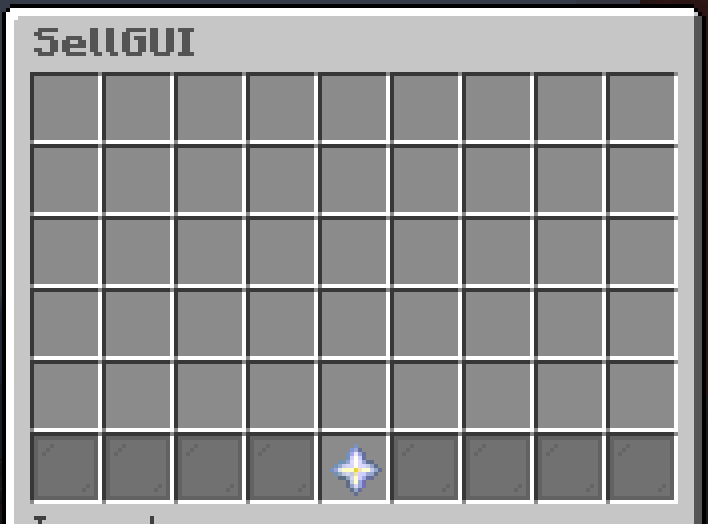
Use SellGUI when you want a safer manual sell flow. Put items into the sell menu, confirm the sale, and only those accepted items are sold.
Commands
/sellguiOpens the SellGUI menu so you can choose which items to sell.If you put a shulker box into SellGUI, the accepted contents inside the shulker are sold and the empty shulker box is returned to you.
Use SellGUI for expensive or mixed inventories when /sellall would be too risky.